
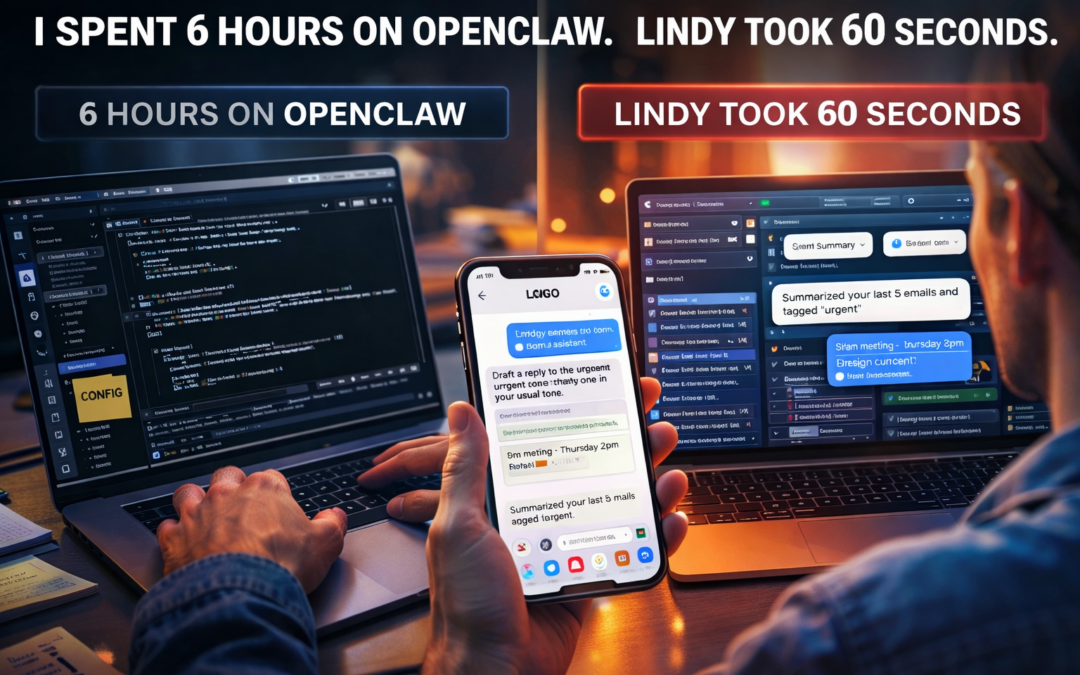
Lindy Just Dropped an OpenClaw Alternative — And Most People Probably Don’t Need OpenClaw Anymore
Lindy’s new iMessage/SMS AI assistant sets up in about a minute and plugs into Gmail, Calendar, Slack, Notion and more—without terminals, VPS setups, or local security headaches. Here’s what’s different from OpenClaw, how to set Lindy up fast, and the best real-world use cases.
If you want an AI assistant you can text that actually does work inside the tools you already use—email, calendar, Slack, Notion, CRMs—Lindy is the “fast lane”. It’s designed for non-technical users and teams: sign in, connect accounts, start texting.
OpenClaw is still incredible—especially if you want local-first control and heavy customization—but for many people it’s now “optional,” not mandatory.
You Don’t Need OpenClaw Anymore (Use This)
Quick comparison: Lindy vs OpenClaw (who wins and why)
1) Setup time: 60 seconds vs hours
-
Lindy: built to be onboarding-fast (web signup, connect accounts, start texting).
-
OpenClaw: powerful, but typically involves local installation and configuration; it’s more “builder framework” than polished SaaS.
Translation: If you want agents today, Lindy is the shortcut.
2) Integrations: workflow-first vs system-first
-
Lindy: positioned as a work assistant for inbox + meetings + calendars, and it markets wide integrations for common business apps.
-
OpenClaw: built around a gateway + tools model with per-agent policies and a strong emphasis on sandboxing and security boundaries.
Translation: Lindy is “do work in my SaaS stack.” OpenClaw is “give me a programmable agent OS.”
3) Security model: managed cloud vs self-managed local
-
Lindy: promotes enterprise features (SSO/SCIM/audit logs) and compliance claims on its enterprise tier.
-
OpenClaw: documents per-agent access profiles (full/read-only/no tools) and sandboxing patterns so you can isolate what an agent can touch.
Translation: Lindy is “security handled for you” (but your data is processed in their cloud). OpenClaw is “you control the machine,” but you also own the risk surface.
4) Cost: subscription vs “free if local”
-
Lindy: paid product with published tiers (example: Pro listed at $59.99/month on its pricing page, plus enterprise options).
-
OpenClaw: open-source and can be run locally; your cost depends on the models you connect (cloud APIs vs local models).
Translation: Lindy is predictable SaaS spend. OpenClaw can be cheaper long-term if you go local… but you pay with complexity.
How to set up Lindy in under 2 minutes
Lindy’s own positioning is “text your AI assistant” and it highlights quick setup and iMessage/SMS-style interaction.
Step 1: Create your Lindy account
-
Sign up and reach the assistant home screen.
Step 2: Connect your core accounts (start with these)
-
Google (Gmail + Calendar) first. This unlocks the highest-ROI automations instantly: inbox triage + meeting scheduling + daily summaries.
-
Then connect your “command center” app:
-
Slack (team ops)
-
Notion (personal ops)
-
CRM (sales ops)
-
Step 3: Enable texting (iMessage/SMS-style workflow)
Lindy markets iMessage/SMS as a first-class interface.
Step 4: Give it one “manager prompt” so it works like an assistant, not a chatbot
Copy/paste:
You’re my executive assistant.
Default behavior: be proactive, concise, and action-oriented.
Always ask for confirmation before: sending emails, scheduling meetings, or making purchases.
Every morning: summarize urgent emails + meetings + 3 suggested priority tasks.
That one prompt turns “chat” into “operations.”
Best Lindy use cases (the ones that feel like cheating)
1) Inbox autopilot (triage + draft replies in your voice)
Lindy explicitly positions itself around managing inbox + drafting replies in your voice.
What to text:
-
“Summarize the last 10 important emails. Tag anything urgent.”
-
“Draft a reply to the most urgent one in my usual tone. Don’t send until I approve.”
2) Calendar/meetings: scheduling + prep + follow-ups
Lindy’s launch messaging focuses heavily on meeting scheduling, prep, notes, and follow-ups.
What to text:
-
“Schedule a 30-min call with Brian next week. Offer 3 time slots.”
-
“Before my 2pm meeting, give me a 60-second briefing: context, agenda, action items.”
3) “Brain dump → organized plan” (especially via voice notes)
The killer workflow is dumping raw thoughts, photos, or a quick voice note—then having the assistant turn it into tasks + structured pages inside your tools (Notion, etc.). Lindy highlights broad app workflows and assistant-style work management.
What to text:
-
“Here’s a messy list of tasks. Organize into Projects → Tasks → Next Actions. Put it in Notion.”
4) Light “computer use” tasks (forms, cancellations, simple web tasks)
Your transcript mentions browser/computer-use tasks (forms, subscriptions, ordering). Treat these as high-risk actions and keep approvals on.
Rule: “Do the steps, but pause before final submit/payment.”
When OpenClaw still wins (and Lindy can’t replace it)
If you want any of the following, OpenClaw stays king:
1) Local-first privacy and “agent runs on my machine”
OpenClaw’s model is built around a gateway and per-agent policies/sandboxing—great when you need strict control.
2) Deep customization + building agent squads
OpenClaw’s ecosystem leans into multi-agent patterns and tool policies that you can shape per agent.
3) Builder workflows (tools, skills, custom automations)
OpenClaw is a framework—powerful when you want to build your own “mission control,” approvals systems, or custom tooling.
The real recommendation: choose based on who you are
Pick Lindy if you are:
-
Non-technical (or just value speed)
-
Operating inside Gmail/Calendar/Slack/Notion all day
-
Want texting-based workflows immediately
Pick OpenClaw if you are:
-
A builder who wants local control
-
Comfortable managing security boundaries yourself
-
Trying to create a multi-agent “AI ops” environment
Security note (don’t skip this)
Any assistant with access to your email/calendar/tools is powerful. For OpenClaw-style agents, security guidance emphasizes sandboxing, allowlists, and minimizing tool blast radius—and the same philosophy applies to Lindy: start conservative, require approvals for anything that sends/changes money, and never give more access than needed.

Recent Comments